
Features
Everything in one edition.
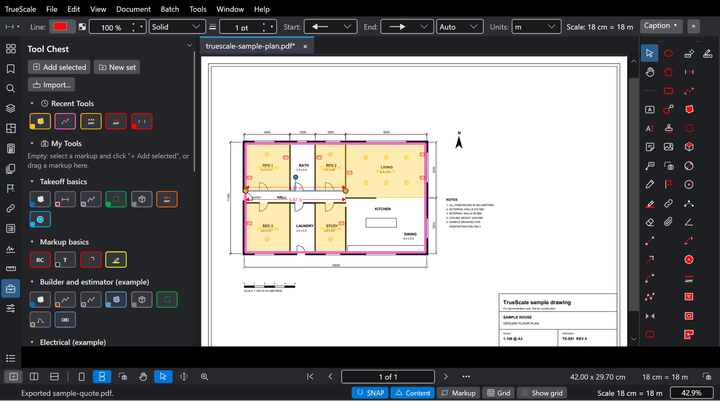
A complete PDF markup, measurement and takeoff tool for construction. Every feature is in every licence. No tiers, no editions, nothing extra to buy.
Markup and communicate
Mark up a plan to communicate.
TrueScale is a markup tool as much as a measuring tool. Clouds, call-outs, text, stamps and highlights to communicate; coloured areas to show exactly what you are quoting.
Send the marked up plan with your price, so the client sees what is in and what is out.
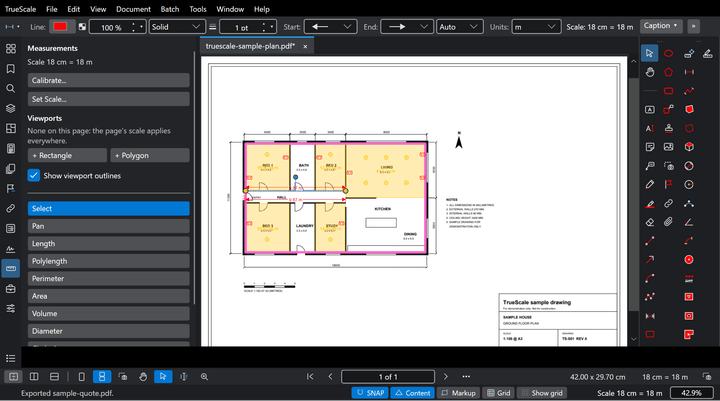
Measure and takeoff
Measure and take off from PDF drawings.
Every measurement keeps its own scale, so a detail at 1:20 and a plan at 1:100 measure true on the same sheet.
Lengths, polylengths, areas, perimeters, counts, volumes and wall areas. Wall area is run length times wall height, worked out for you on every wall run.
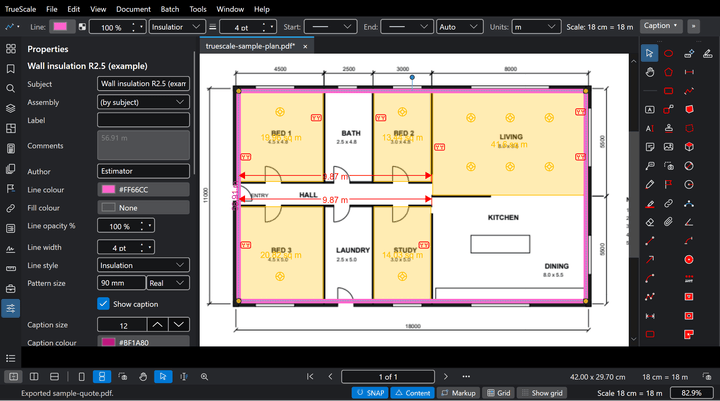
Estimate
Estimating built in.
Put a price on every quantity as you measure it. The estimate updates when a markup changes, and the quote PDF comes straight from it.
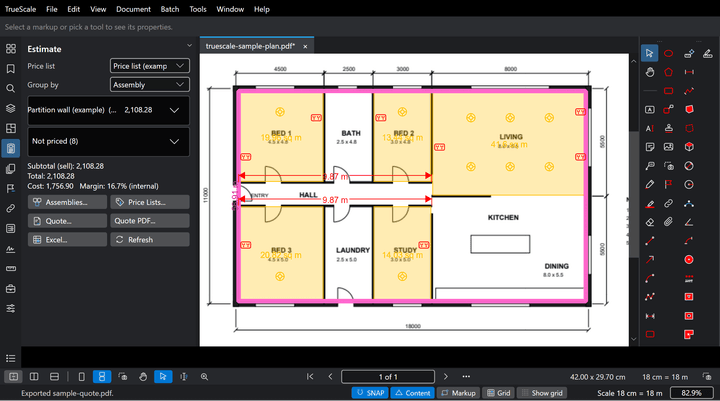
Excel links
Links live to Excel.
Link takeoff quantities to cells in your own Excel workbook. Change a markup and the cell follows, so your pricing sheet stays the one you trust.
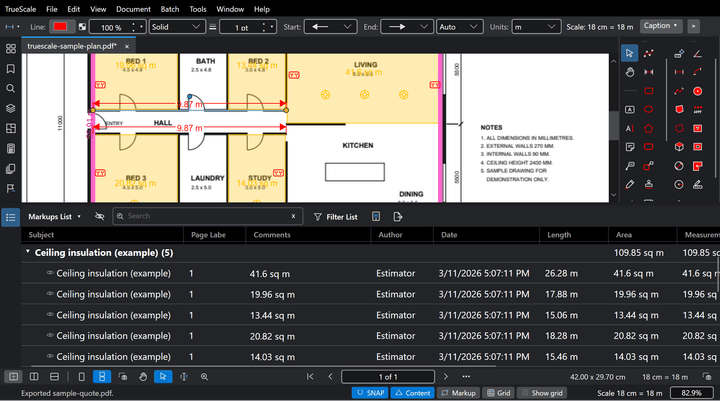
File compatibility and tool set import
Bring your marked up PDFs. Keep working.
Open PDFs marked up in Revu, edit the markups, and send them back.
Imports your Revu tool sets (.btx): every tool comes in with its look, subject, label and measurement settings.
Wall heights you set in TrueScale on lengths and polylengths carry over to Revu's Wall Area column.
We keep that compatibility working release after release.
Collaboration on your own server
Your files, your server.
Work together on the same set. Install the free TrueScale server on any PC, laptop or server on your network and TrueScale finds it.
Your drawings never leave your office network. Self hosting is free forever, with no licence or subscription for the server.
Working from home or site? Connect through your office VPN and it works as if you are in the office.
Documents
Finish and send the whole set.
Everything you need to finish and send a set of drawings, in the same one edition.
- OCR for scanned drawings. Scanned pages get an invisible text layer, so you can search, copy and compare them. The page looks the same.
- Digital signatures and certification. Sign with a digital ID, certify a document, add timestamps, and validate the signatures on a file. Signing again, adding markups or filling in forms keeps earlier signatures valid.
- Redaction. Mark what has to go, then apply: only what is under the boxes is removed, for good.
- Compare documents. Compare two revisions of a drawing or its text; each change is clouded so you can see what moved.
- Forms and the Form Editor. Fill in PDF forms, build your own fields, and set the tab order.
- PDF/A. Archive a copy as PDF/A, with its fonts embedded and a list of every check made.
- Sets. Work with a whole set of drawings, with sheet numbers, and link references between files.
- Batch print. Print many files or pages in one go, on the drawing's own paper size.
- Export to Excel and Word. Turn PDF pages into editable workbooks and documents, with tables and headings kept.
- PDF content editing. Edit the page's own text in place, and cut, copy or erase page content.
Trade tool sets
Every trade works differently.
Electricians, plumbers, insulators, fire system installers and security installers each need their own tools, so TrueScale ships with tool sets built for each trade.
Windows first.
TrueScale runs on Windows today. Mac, iPad and smartphone versions are on the way.
Founding price $349 USD$559 AUD inc GST was $499 USD$799 AUD inc GST $499 USD$799 AUD inc GST, once.